
Kids360: Parental Control App
Kids360: Parental Control App
MINDCARE LAB LTD
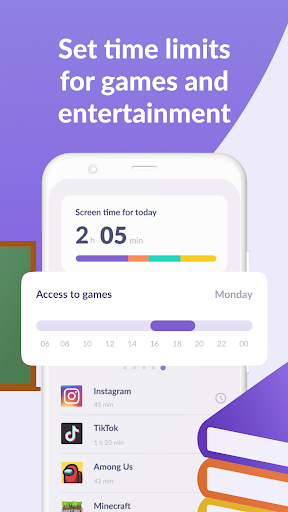
“Kids360” — is a service that helps parents to set time limits for teens in entertainment applications and games
Install the "Kids360 for parents" app on your phone, and the "Alli360" app on your child's phone
The “Kids360” app provides you with the following options:
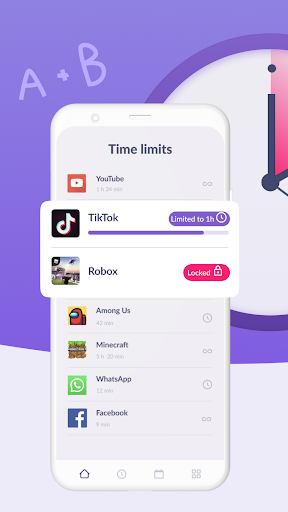
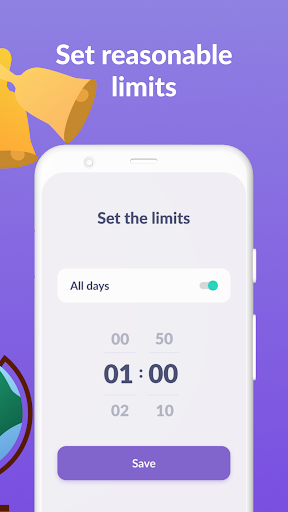
Time limit - set a time limit for specific applications and games your child uses
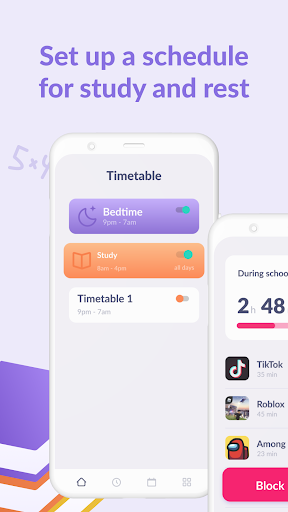
Schedule - set schedules for school time and rest in the evening: games, social networks, and entertainment apps will not be available during the specified time
List of applications - select applications you want to limit or block completely
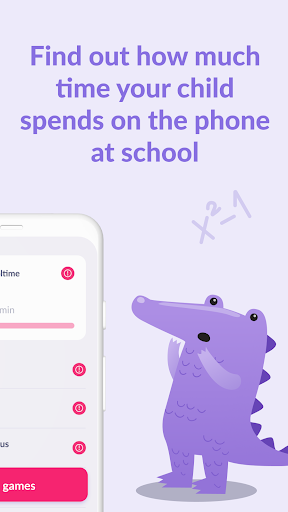
Time spent - see how much time your child spends on their smartphone and identify their most used applications
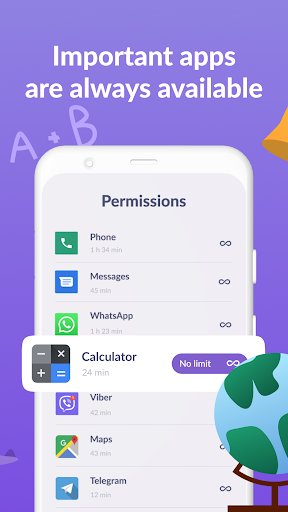
Always keep in touch - applications for calls, messages, taxis, and other non-entertainment applications will always be available and you will always be able to contact your child.
The “Kids360” app is designed for family safety and parental control. Thanks to the application tracker, you will always know how much time your child is spending on their smartphone. The app cannot be installed on the cell phone without your child’s knowledge, its use is available only with the explicit consent of the child. Personal data is stored in strict accordance with legislation and GDPR policies.
How to start using the "Kids360" app:
1. Install the “Kids360 for parents” app on your mobile device;
2. Install the “Kids360” app on your child's phone and enter the link code with the parental device;
3. Allow monitoring of your child's smartphone in the “Kids360” app.
In case of technical problems, you can always contact the 24-hour support service in the "Kids360" app or via the following email support@kids360.app
You can monitor your child's time on the smartphone for free after connecting your child's device. Time management functions in applications are available during the trial period and by purchasing a subscription.
The “Kids360” app asks for the following permissions:
1. Display over other apps - to block applications when time limit rules occur
2. Special features - to limit your child's time at the smartphone screen
3. Usage access - to collect statistics about the application uptime
4. Autostart - for constant operation of the application tracker on the child's device
5. Device admin apps - to protect against unauthorized deletion.
نظرات (12)
✓ عالی
ok
چرا نمیشه
ای کاش فارسی بود
خوب
واسه ایجاد محدودیت رو گوشی کودک خوبه
رمزی که برای لینک شدن گوشی والدین به گوشی بچه می ده رو می زنم. پیام می ده به اینترنت وصل نیستی. در حالی که وصل هستم. و با این پیام، از این جلوتر نمی ره
برنامه عالی هستش. فقط چنتا قابلیت باید داشته باشید یکیش اینکه زبانتون باید خوب ب بالا باشه تا بخوانید و انتخاب کنید اپشناشو دومیش ک ضعفه چنتا از قابلیتاش کار نمیکنه چون باید اکتیو کنید یا بخرید اشتراک ک ماهیانه و سالیانس از اونجایی ک بانکهای ما ب سیستم بانک های جهانی وصل نیست نمیشه.
عالی
خیلی ضعیف نظرتون مثبته👍🏻 یا منفی👎🏻؟
عالیه
بسیار عالی